A story · Calendar and Health
The open bottle
Tuesday you open a bottle with dinner and Noor has some too. Wednesday you finish it. Junior counts it the way it happened.
01 · Tuesday, at dinner
Open it, with some left
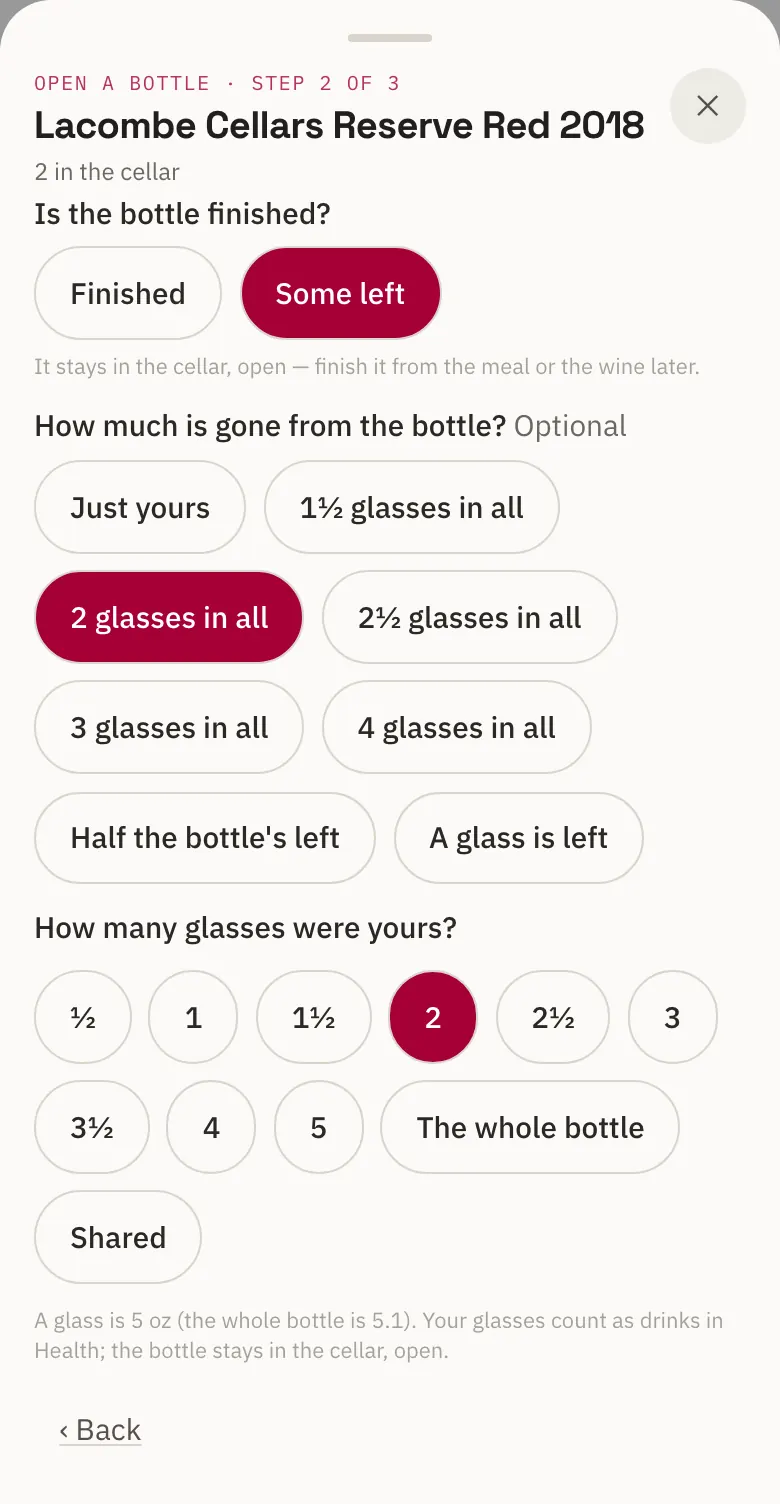
Open a bottle of the 2018 and pick With a meal: tonight's dinner from your calendar, or one Junior puts on today's calendar for you.
Is the bottle finished? Some left. Noor had half a glass, so say 2 glasses in all are gone, and tap 1½ as yours. The bottle stays in the cellar, open.
02 · Wednesday
Finish it, not a second one
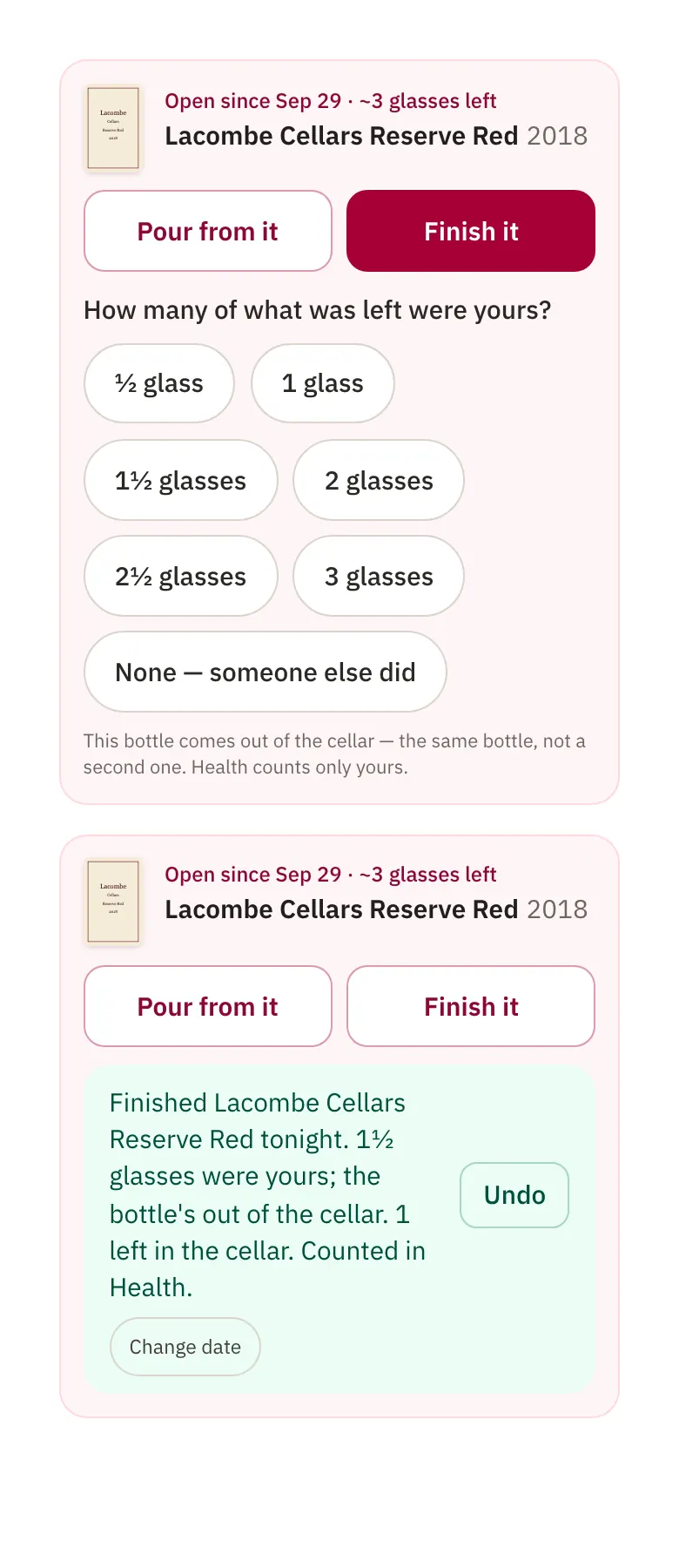
The open bottle waits on the wine's page and in the wine picker for tonight's dinner: open since Sep 29, about 3 glasses left.
Press Finish it and say how many of what was left were yours. That bottle comes out of the cellar, the same one, so two bottles in the cellar become one.
03 · After
One bottle, one line
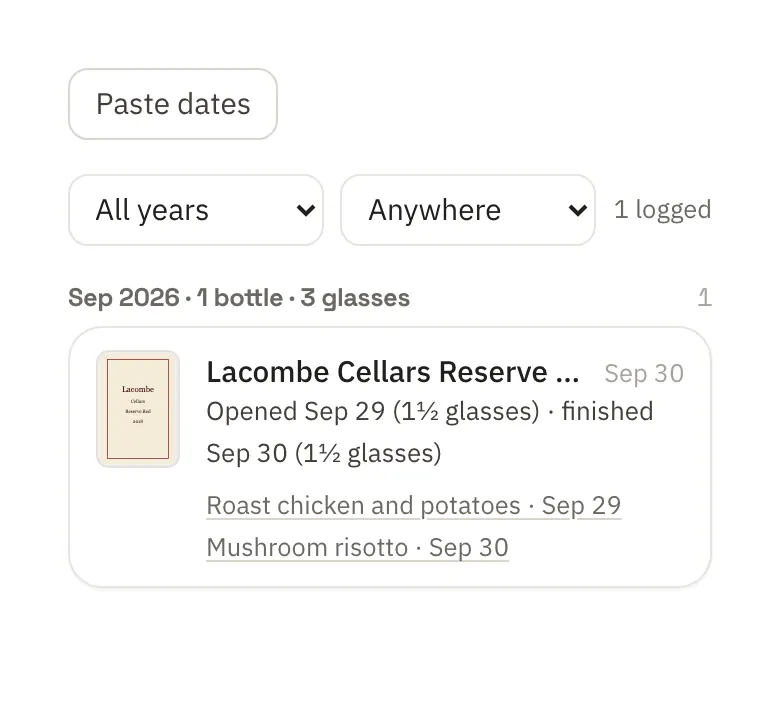
Drank shows it once: opened Tuesday, finished Wednesday, your glasses each night, and both dinners linked.
If you track wine in Health, your 3 glasses count as drinks there. Noor's don't.


What you didn't have to do
- Count the bottle twice.
- Work out whose glass was whose.
- Remember which night you opened it.
Lacombe Cellars, Noor and every screen above are invented examples on real Junior screens. Wine lives in Junior's Library; Library and Health are apps you turn on inside Junior.
The waitlist
Join the waitlist
Junior is invite-only for now. Leave your email and we'll invite you as places open up.
- At most two emails: a confirmation, then your invite.
- Changed your mind? The confirmation email has a Remove me link.
- Independent, and your data isn't sold.
Have an invite? Sign in →